Place a borrower’s income statement, balance sheet and cash flow into the Excel template your team already uses. Each line is checked, and each value opens its cell.
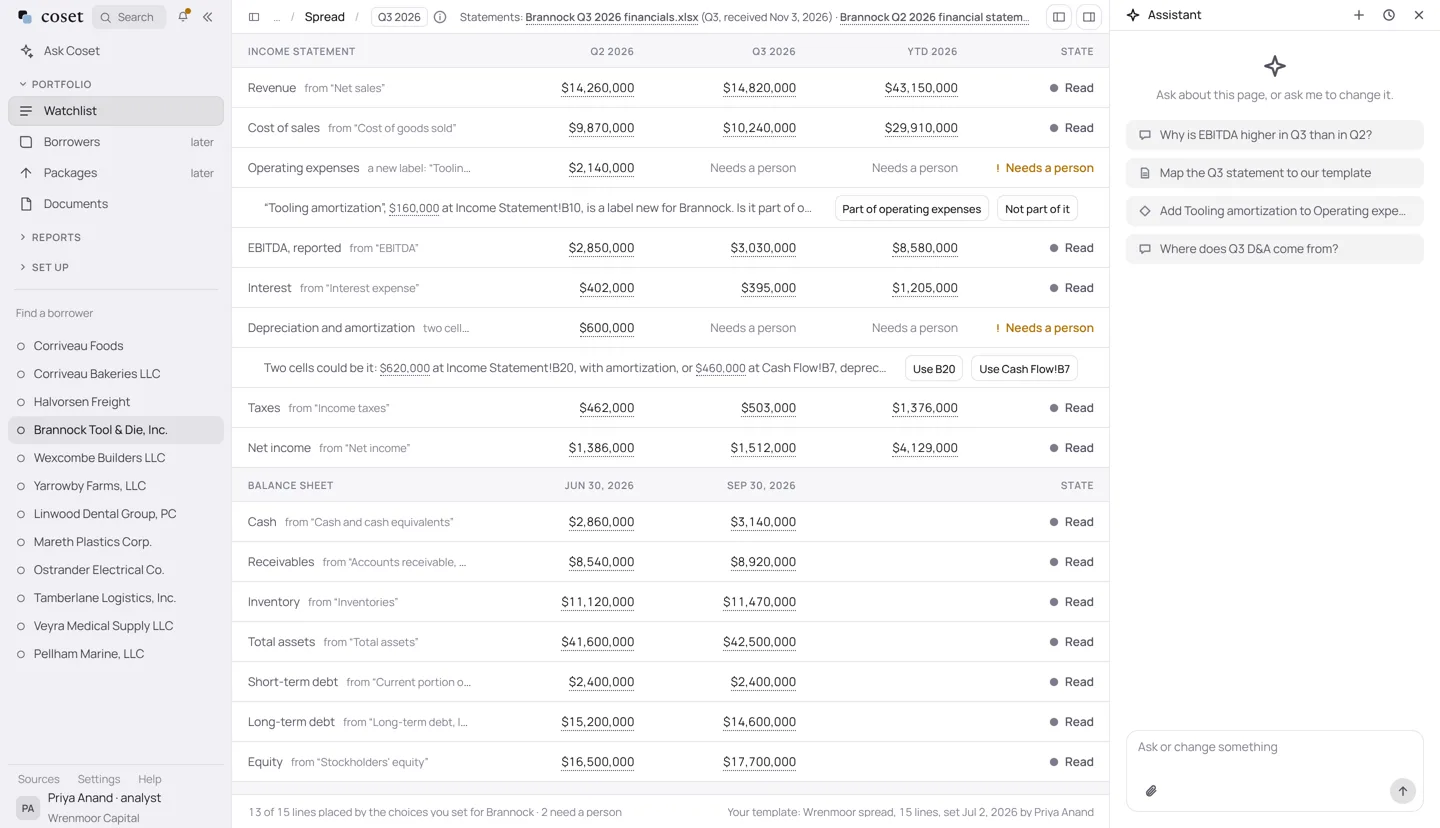
“You have to use your own brain to figure out which number to take from where.”
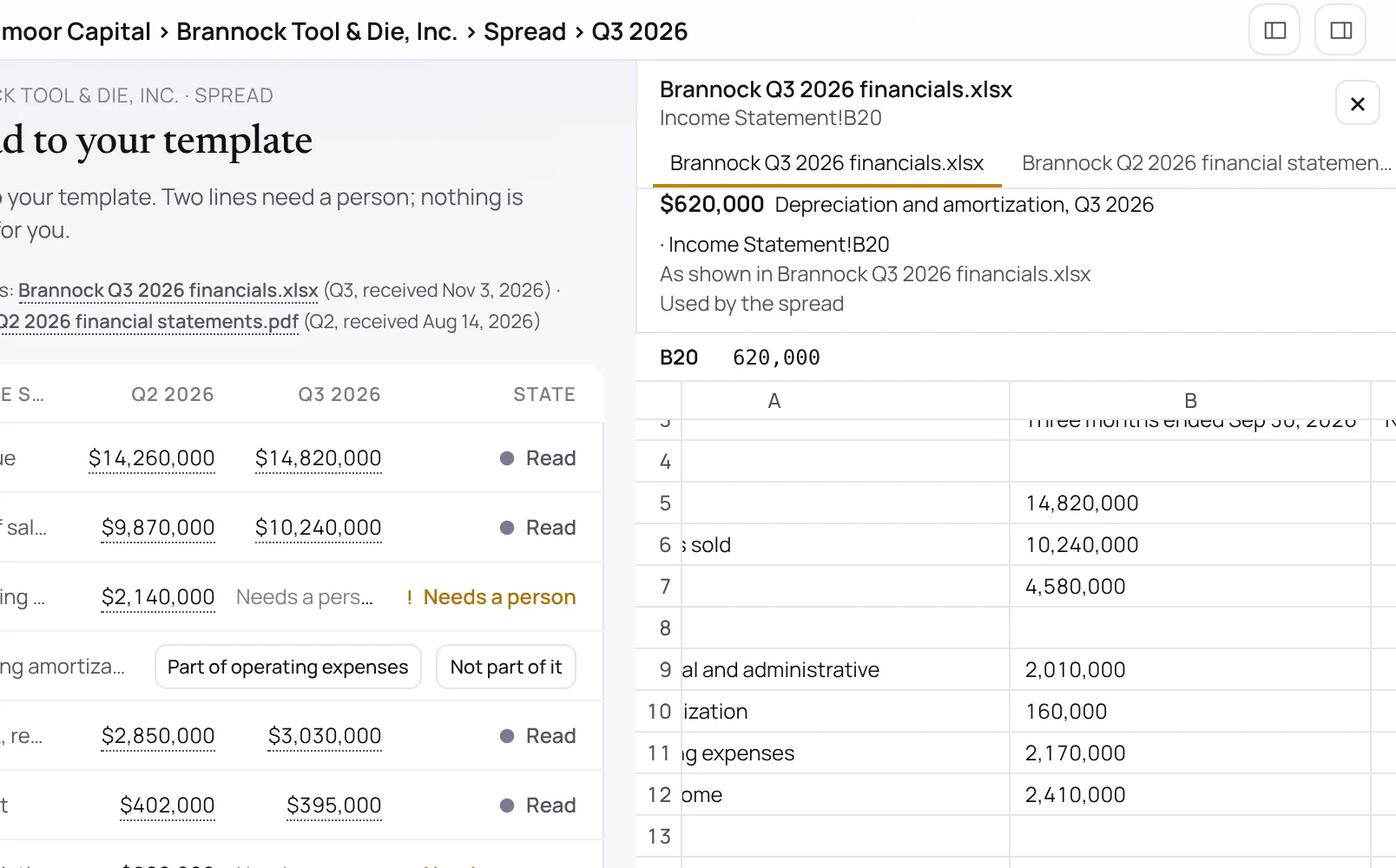
Every value opens its cell.
Click a figure and the workbook opens at the cell it was read from. Where two cells could be the answer, Coset shows both and asks.
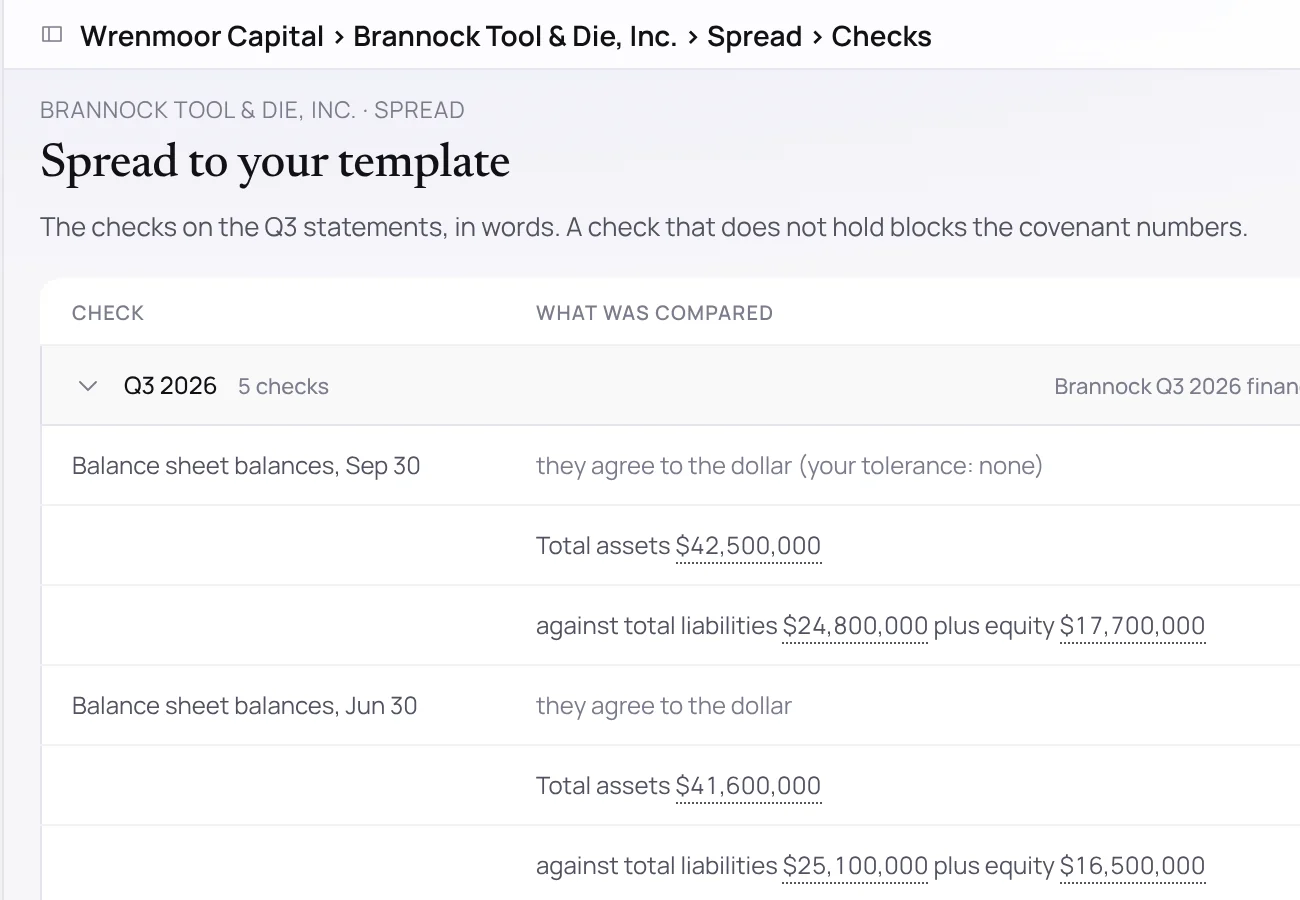
It checks the statements foot.
Assets against liabilities and equity, line items against totals, each shown in words with the numbers. A check that does not hold blocks the covenant numbers until a person resolves it.
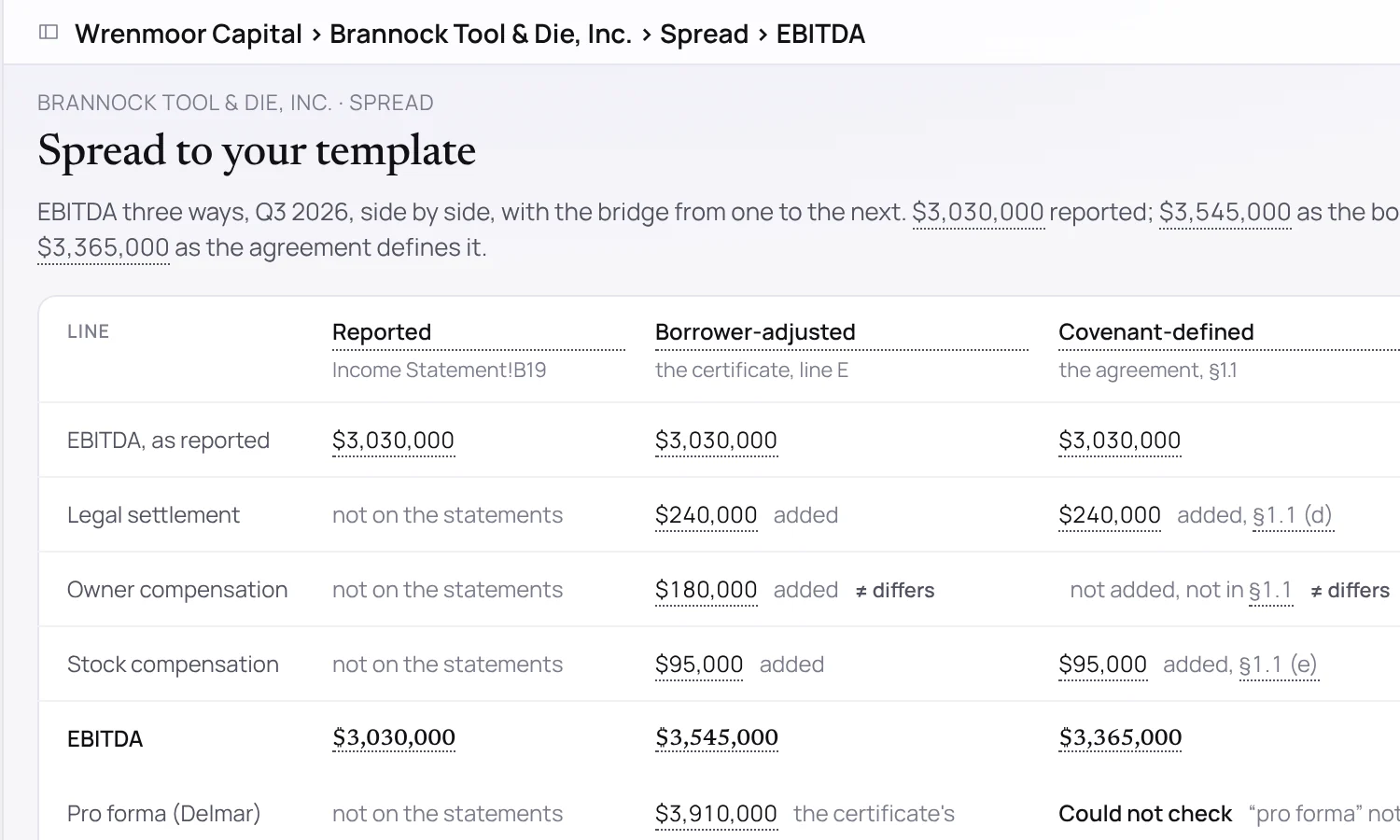
Reported, adjusted and as defined.
See the figure as printed, as the borrower adjusts it, and as the agreement defines it, with the bridge between them and the passage that explains each step.
Bring one borrower’s last package.
Send us the financial package from one borrower and the covenants that apply to it. We will show you the tests run on your definitions, each figure open to its page.