Read an investment committee memo or term sheet into one row in your own columns, every value linked to its page, for your CRM.
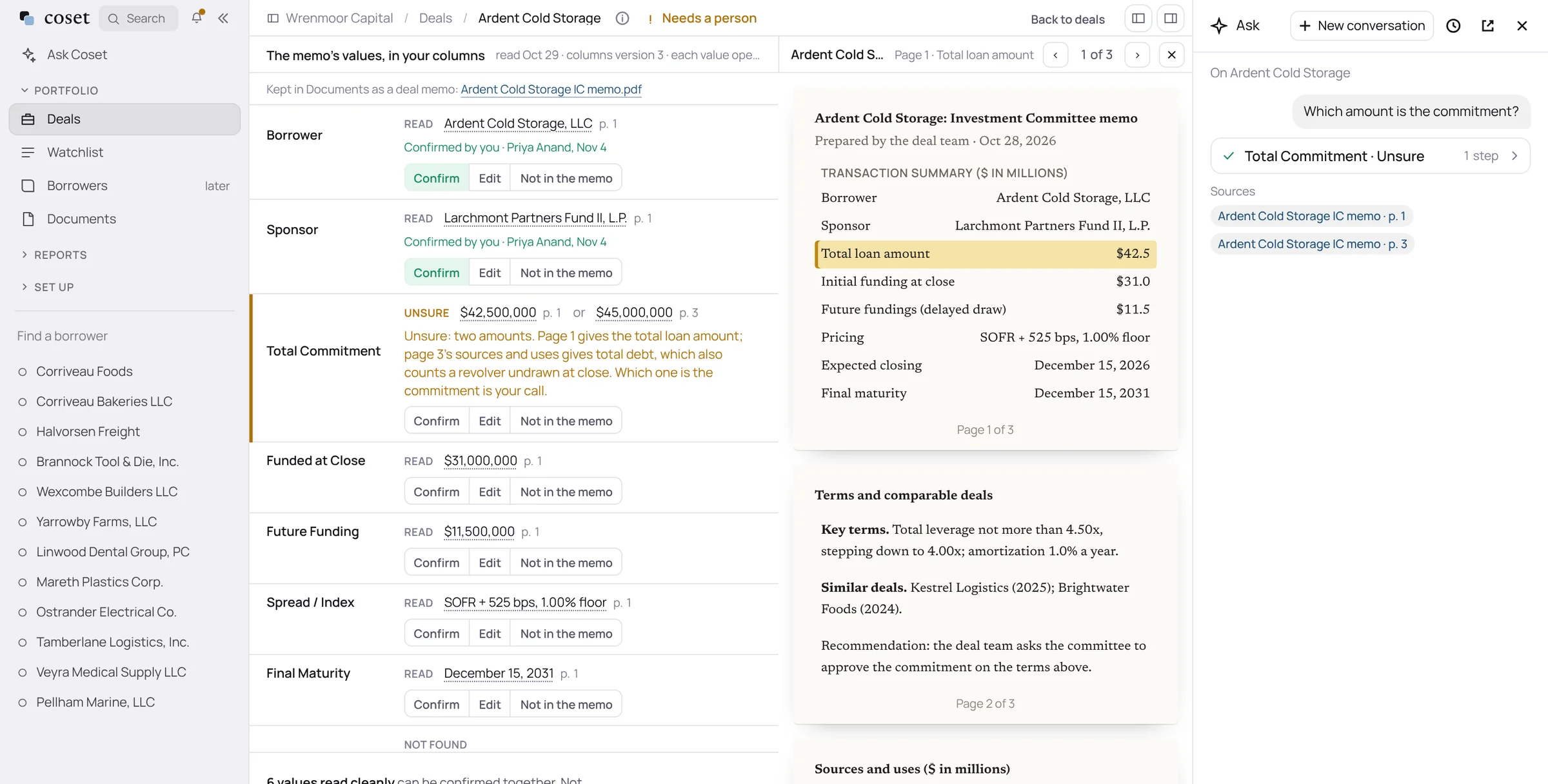
Your columns.
Choose the fields you track, in your order and under your names. The file matches your CRM’s import template.
A person confirms.
Values read cleanly can be confirmed together. Anything unclear is flagged with the reason, such as two amounts for one commitment.
Amendments move the deal.
A later amendment shows what it replaced, so the confirmed row reflects what is in force.
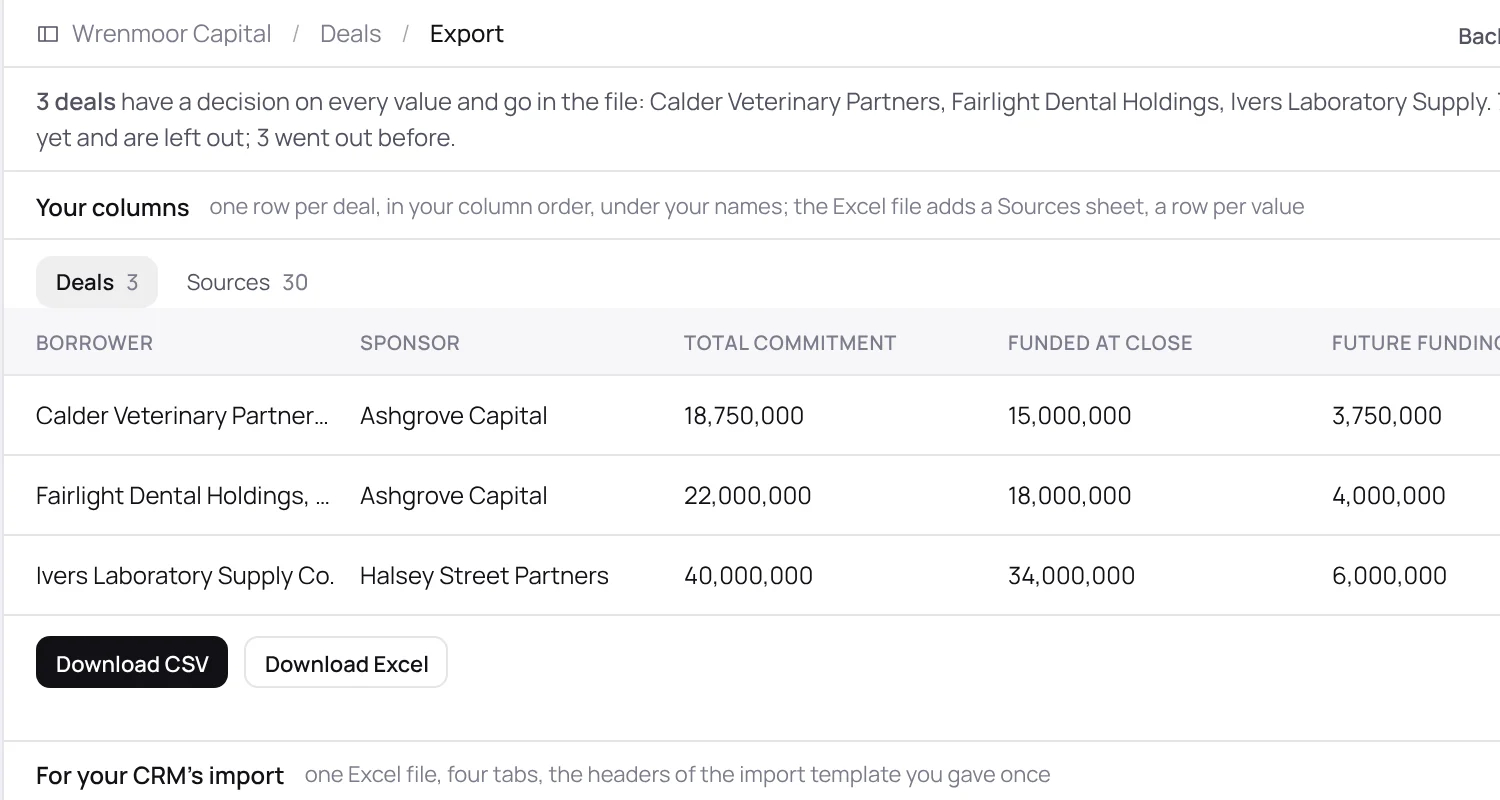
A file for your CRM.
Download a CSV, or an Excel workbook with a tab for each of the record types you use and a Sources sheet with a row per value. Coset produces files. You import them. It never writes into your systems.
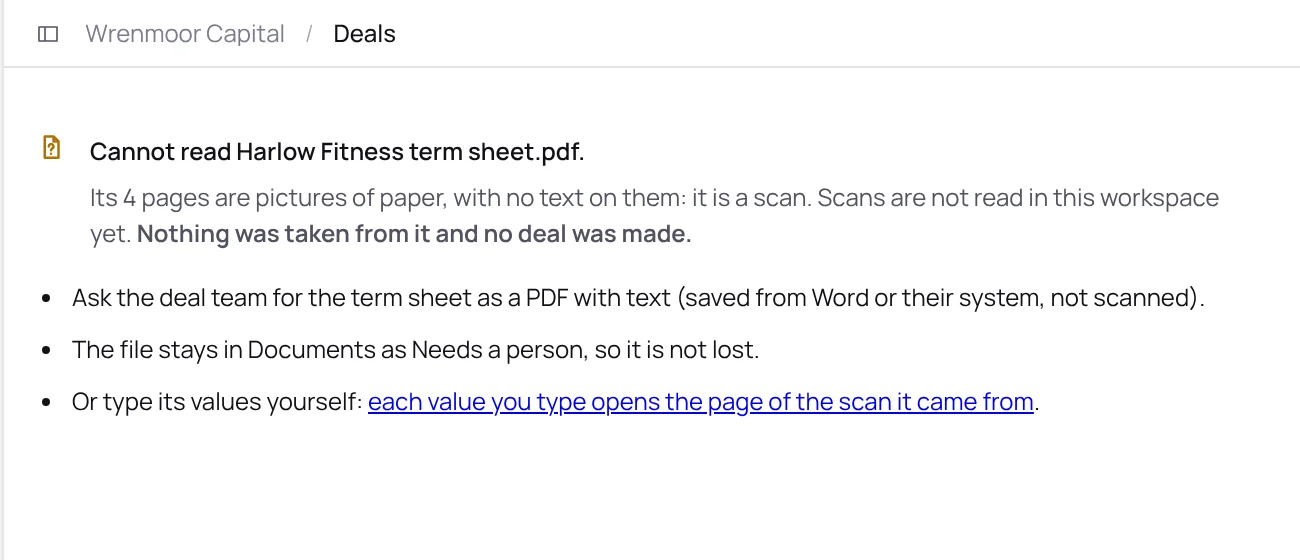
A scan is not guessed at.
If a term sheet is pictures of paper, Coset says so and takes nothing from it. Ask the deal team for the PDF with text, or type the values yourself from the page. Typed values are marked as typed.
Bring one borrower’s last package.
Send us the financial package from one borrower and the covenants that apply to it. We will show you the tests run on your definitions, each figure open to its page.